
Keep verifying the human after day one.
Catch credential sharing, remote operators and laptop farms when the account is legitimate but the person behind it has changed.
Known device · expected network · no remote control
Consistent environment · expected location · familiar profile
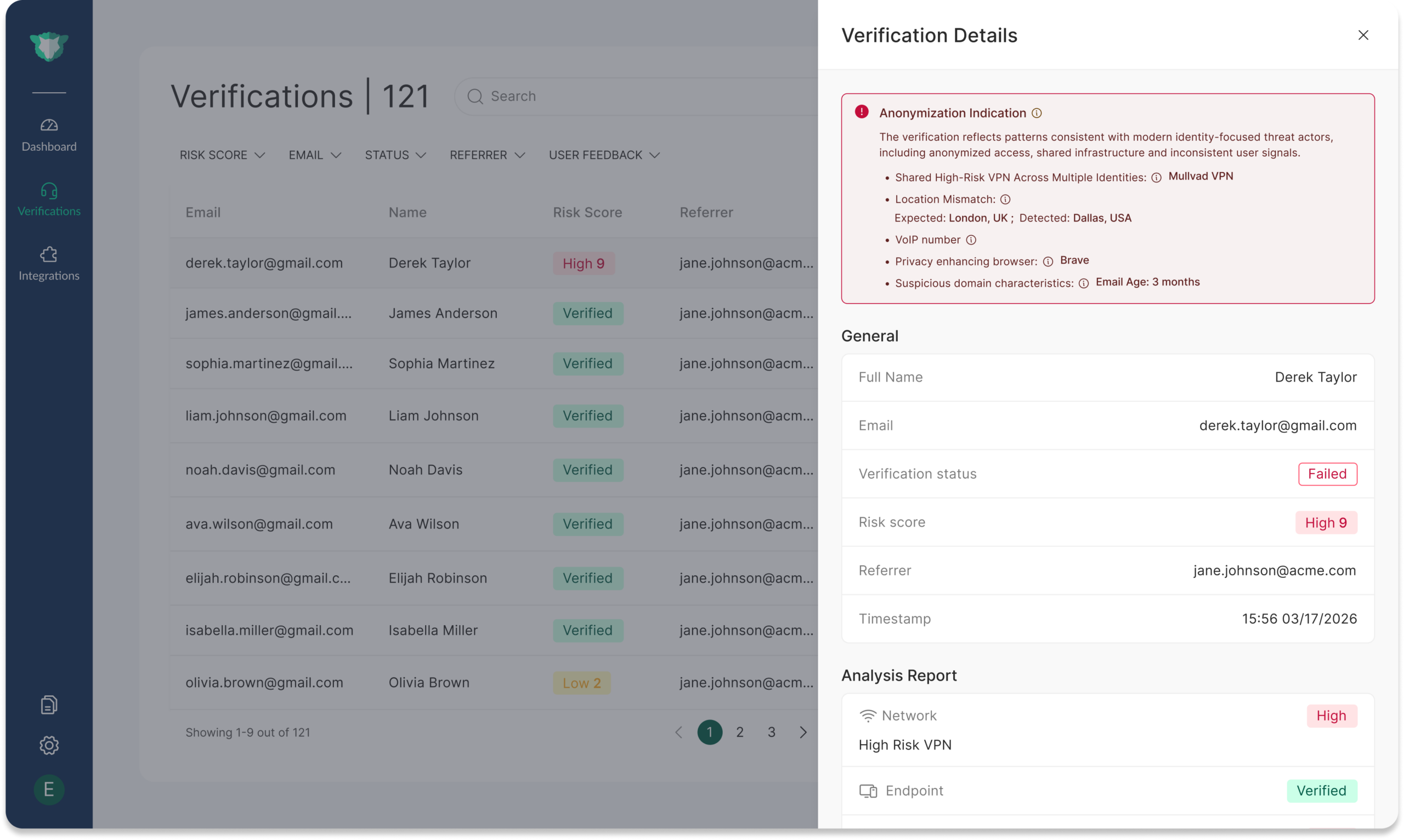
Remote control appears · location changes · device and network diverge
What it looks like when someone else is behind the account.
The account, credentials, and even the corporate device can remain legitimate while the person operating them changes.
An employee or contractor gives another person access so that person can perform some or all of the work.
Another person operates the employee’s device through remote-control tooling or infrastructure designed to hide where the work is actually being performed. Government reporting on North Korean IT worker schemes describes exactly this. North Korean IT Worker Threat Center →
Device, network, location, environment, remote-control, or behavioral patterns change together compared with relevant prior activity.
Runs on managed and unmanaged devices.
The same check covers company laptops and personal or contractor devices. Only how it is deployed differs.
Push it through your MDM, such as Microsoft Intune. It keeps checking the device and the person using it.
imper.ai checks the employee in the browser at sign-in, with nothing to install, so personal and contractor devices are covered too.
Layered by risk
One risk decision: proceed, review, step up or stop.
Each check returns one decision to the workflow, with the detections behind it, so security sees what changed instead of a generic anomaly flag. A new device, VPN or location on its own is not treated as impersonation.
Risk signals run on every check. Document + liveness IDV is the step-up, used only when risk or policy calls for it.
Good behavior doesn’t prove it’s the right person.
Insider-risk and UEBA tools watch what an account does. When someone else does the work well, nothing looks unusual, yet the person holding your access is not the one you vetted.
An unvetted person with regulated access.
Background checks, sanctions screening and data-access obligations covered the employee you hired, not the person now doing the work.
Access waiting to be used.
A well-behaved operator still holds everything the account can reach, and can use it later for data theft or extortion, or hand it to someone else.
For insider-risk teams, imper.ai answers the question their tools can’t: is the expected person still behind the account? It works alongside UEBA, insider-risk and data-protection controls, not instead of them.
Gartner lists imper.ai as a Sample Vendor for Workforce Identity Impersonation Detection (Hype Cycle for Digital Identity, 2026).
Post-hiring verification FAQ
What does post-hiring verification catch?
Cases where someone other than the expected employee or contractor is doing the work through a trusted account, such as credential sharing, undisclosed outsourcing, remote operators and laptop farms.
Does it work on unmanaged and BYOD devices?
Yes. On any device, including personal and contractor devices, imper.ai checks in the browser at sign-in, with nothing to install. On managed devices you can also deploy the detection script or agent through your MDM.
Does imper.ai track what employees do?
No. It checks who is operating the account, not what they do.
How is this different from UEBA or insider-risk tools?
UEBA and insider-risk tools generally focus on what an authenticated account is doing. imper.ai focuses on whether the account appears to still be operated by the expected person. The controls are complementary.
Does post-hiring verification require biometrics?
No. Risk signals run without a document or biometric. When risk or policy calls for higher assurance, document + liveness IDV is added as a step-up.
See where post-hire checks fit in your access flow.
Walk through the access moments, recurring checks and managed devices where you want proof that the expected person is still behind the account.