
Solutions / Onboarding & Enrollment
Workforce Identity Impersonation Detection
Make sure corporate access reaches the person you hired.
Detect laptop farms, remote operators, hidden location and changed environments before a new hire activates corporate access. imper.ai connects the new-hire record to a secure enrollment flow that detects impersonation risk before corporate access is activated.
 New-hire record and contact data
The access handoff
Protect the moment a candidate becomes an employee.
The hiring decision is complete, but the security decision is not. The person receiving the device, activating credentials or enrolling MFA still needs to be the person the organization intended to hire. This is where laptop farms, remote access and changed environments can become visible.
Surface laptop-farm patterns, unexpected environments and operator changes before trust is extended.
Evaluate the enrollment session before a password or temporary access credential is issued.
Keep the identity decision connected to the human completing enrollment, not just the account record.
How enrollment works
From new-hire record to secure corporate access.
imper.ai orchestrates the enrollment flow across HR, identity and access systems while keeping the employee experience simple.
imper.ai receives the employee record from Workday, UKG, SailPoint or an automated enrollment report.
The new hire receives a unique enrollment link through the approved personal contact channel.
imper.ai checks the enrollment interaction for impersonation risk before access continues.
The verified employee sets a corporate password or receives a Temporary Access Pass based on policy.
Enrollment status is recorded and the employee can securely access corporate systems.
Impersonation detection at enrollment
See what is happening before access is activated.
A valid new-hire record is only the starting point. imper.ai evaluates device, network, location, environment, tooling and behavior, turns those signals into impersonation-specific detections, and produces an explainable risk score for policy action.
Individual observations become meaningful when they combine into attacker-controlled or inconsistent operating patterns.
Hiring to enrollment
Hiring history adds context. Enrollment can still stand on its own.
Customers can protect enrollment whether or not imper.ai was used during recruiting. When hiring history exists, it adds a powerful continuity signal at the moment access is issued.
imper.ai can identify suspicious device, network, location, remote-control and environment conditions during the first enrollment session without requiring prior history.
Compare the enrollment environment with prior interviews to surface a different device, unexpected location, new remote-control state or another material discontinuity.
Featured new-hire source
Workday identifies the new hire. imper.ai secures the access handoff.
imper.ai retrieves the contact data needed for enrollment from Workday and initiates the secure new-hire flow. HR keeps the employee record in Workday while imper.ai coordinates the impersonation check and credential-activation steps with the identity systems that own access.
The Workday enrollment integration uses a Workday enrollment report to retrieve approved contact attributes for automated verification delivery.
Keep enrollment visible.
HR, IT and security teams can review enrollment progress, verification results and failed attempts instead of coordinating the process through disconnected handoffs.
Keep the stack you already use.
imper.ai sits between the source of the new-hire record and the systems that activate access, bringing impersonation risk into the workflow that already owns the decision.
Explore integrationsEmployee experience
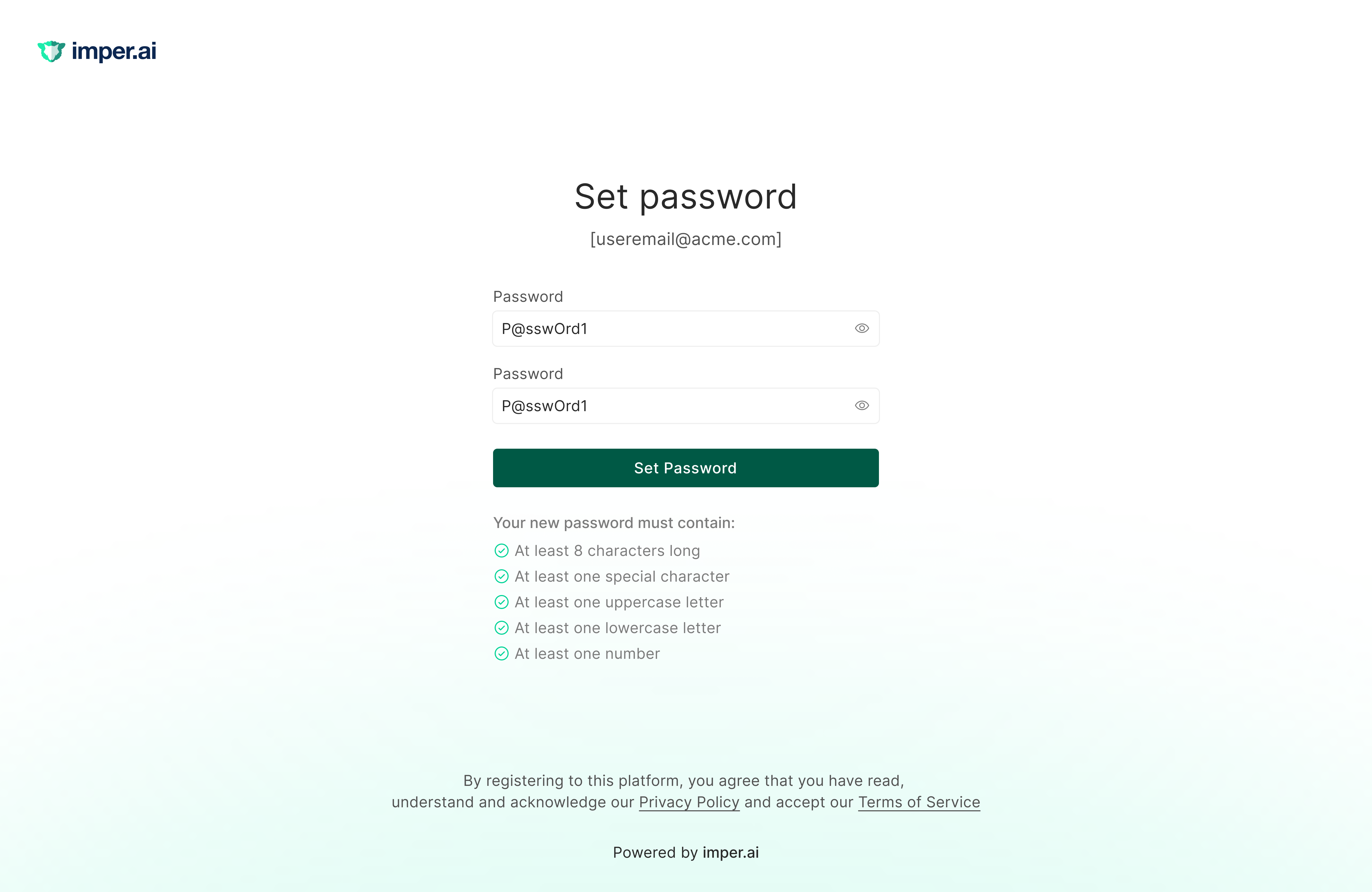
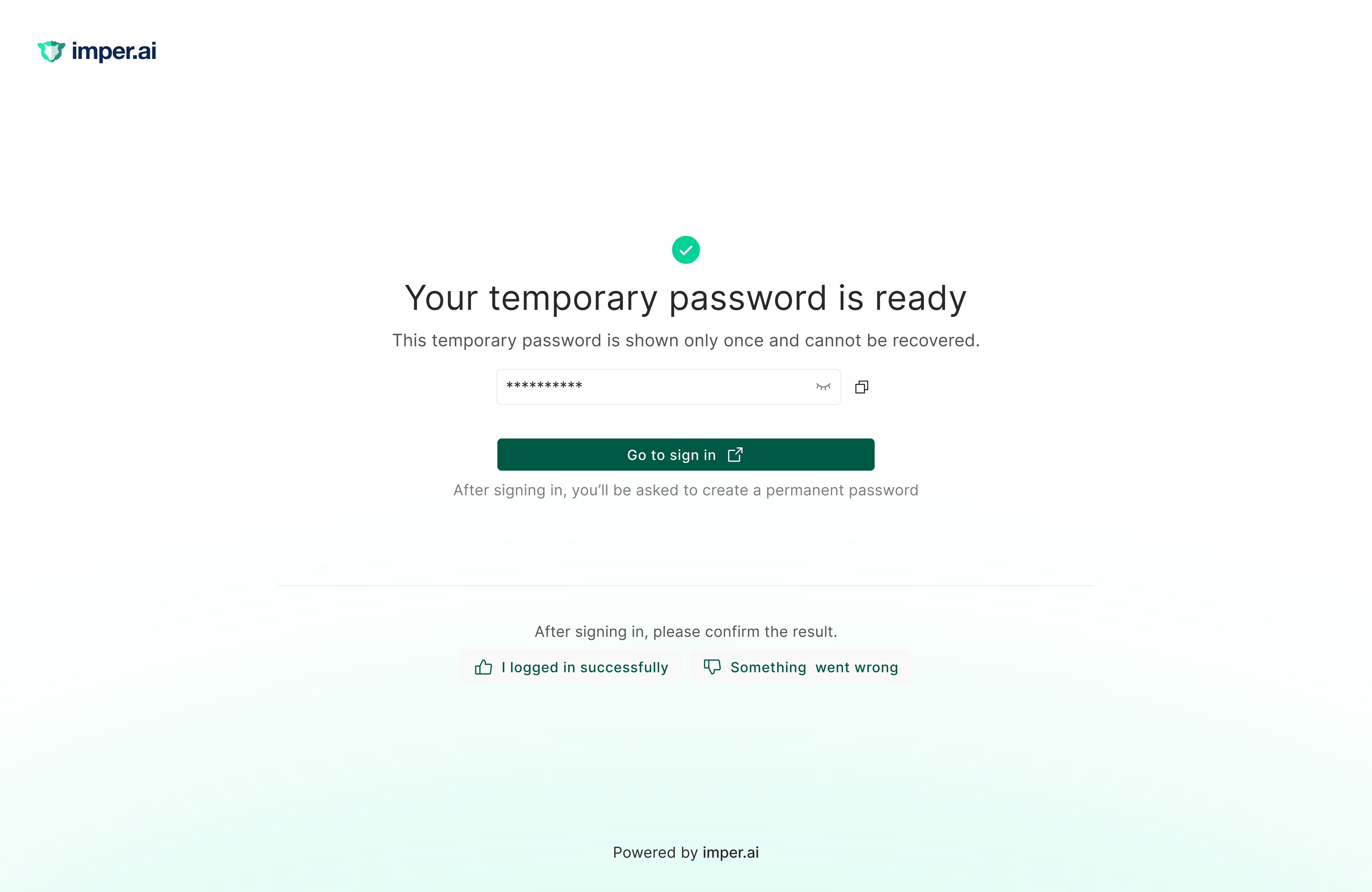
A guided path from verification to first-time access.
After the enrollment check passes, the new hire is guided directly into the access method configured by the organization. Depending on policy, that can be setting a corporate password or receiving a time-limited Temporary Access Pass.
Security and operations
Secure access, ready on day one.
Evaluate the human and operating environment before credentials are activated, and stop enrollment when policy says the risk is too high.
Connect new-hire data to password or TAP issuance without relying on manual credential delivery through email, text or the help desk.
Track enrollment progress and verification outcomes so exceptions are visible before they become first-day access problems.
Use formal proofing where policy requires it. Add live assurance around it.
Employee onboarding identity verification can include formal document or biometric proofing when policy, regulation or role sensitivity calls for it. imper.ai’s core impersonation detection does not require that proofing event. It adds environment, tooling and continuity signals around the access handoff, and can coexist with formal IDV when the workflow needs both.
See how impersonation detection and IDV fit togetherCredential and access issuance is a critical identity-verification moment.
Gartner’s 2026 workforce identity research identifies the point where credentials and access are bestowed as a minimum verification point from a cybersecurity perspective. Gartner also tracks Workforce Identity Impersonation Detection as an emerging Digital Identity category and lists imper.ai as a Sample Vendor.
Read about the Workforce Identity Impersonation Detection categoryOnboarding and enrollment FAQ
What is employee onboarding identity verification?
Employee onboarding identity verification is the process of establishing enough confidence in the person receiving first-time corporate access. In an enterprise workflow, that can include formal proofing as well as checks on the device, network, location, environment and other signals around the enrollment session.
Does imper.ai require identity documents or biometrics for enrollment?
No document or biometric step is required for imper.ai’s core impersonation detection. If an organization requires formal identity proofing at access issuance, that control can remain part of the enrollment policy alongside imper.ai.
Does imper.ai need hiring history to protect enrollment?
No. imper.ai can evaluate the first enrollment interaction on its own. When prior hiring history is available, it can add continuity context by comparing material changes between interview sessions and the enrollment environment.
Which systems can imper.ai connect for new-hire enrollment?
Current enrollment documentation includes new-hire sources such as Workday, UKG and SailPoint, plus identity systems including Microsoft Entra, Google Workspace, Active Directory, Okta and OneLogin. An automated enrollment report can also be used as the new-hire source.
Secure the access handoff.
See how imper.ai detects impersonation risk before first-time access and connects the new-hire record to secure credential activation.