
Workforce Identity Impersonation Detection
One detection engine across the workforce
imper.ai detects whether the expected person is actually behind a workforce interaction, then carries that risk decision into the workflow where it matters.
One engine, four workforce moments

Signals, detections, correlation, risk scoring, policy, and workflow action
How the platform makes a decision
Every impersonator still has to operate from somewhere
An attacker can manipulate a face, voice, identity document, or account. But they still need a device, network connection, location, operating environment, and tooling to carry out the interaction. Those operating conditions produce observable signals within a session and across repeated interactions.
Infrastructure
Network path
VPNs & proxies
Location
Latency
Environment
Device & browser
Virtualization
Hardware
Software conditions
Tooling
Remote control
Virtual audio
Automation
Attacker infrastructure
Continuity
Session changes
Repeated patterns
Identity overlap
Environment reuse
Detection does not depend on deciding whether a face, voice, or video is synthetic.
See how this differs from identity verificationHow imper.ai works
The next four sections explain how imper.ai evaluates an interaction: the signals it collects, how combinations of those signals become impersonation detections, how the resulting risk score maps to policy and workflow actions, and how step-up or escalation is applied when additional assurance is required. The integrations section then shows how those outputs connect to hiring, help desk, identity, and security workflows.
01 · Inputs
Signals
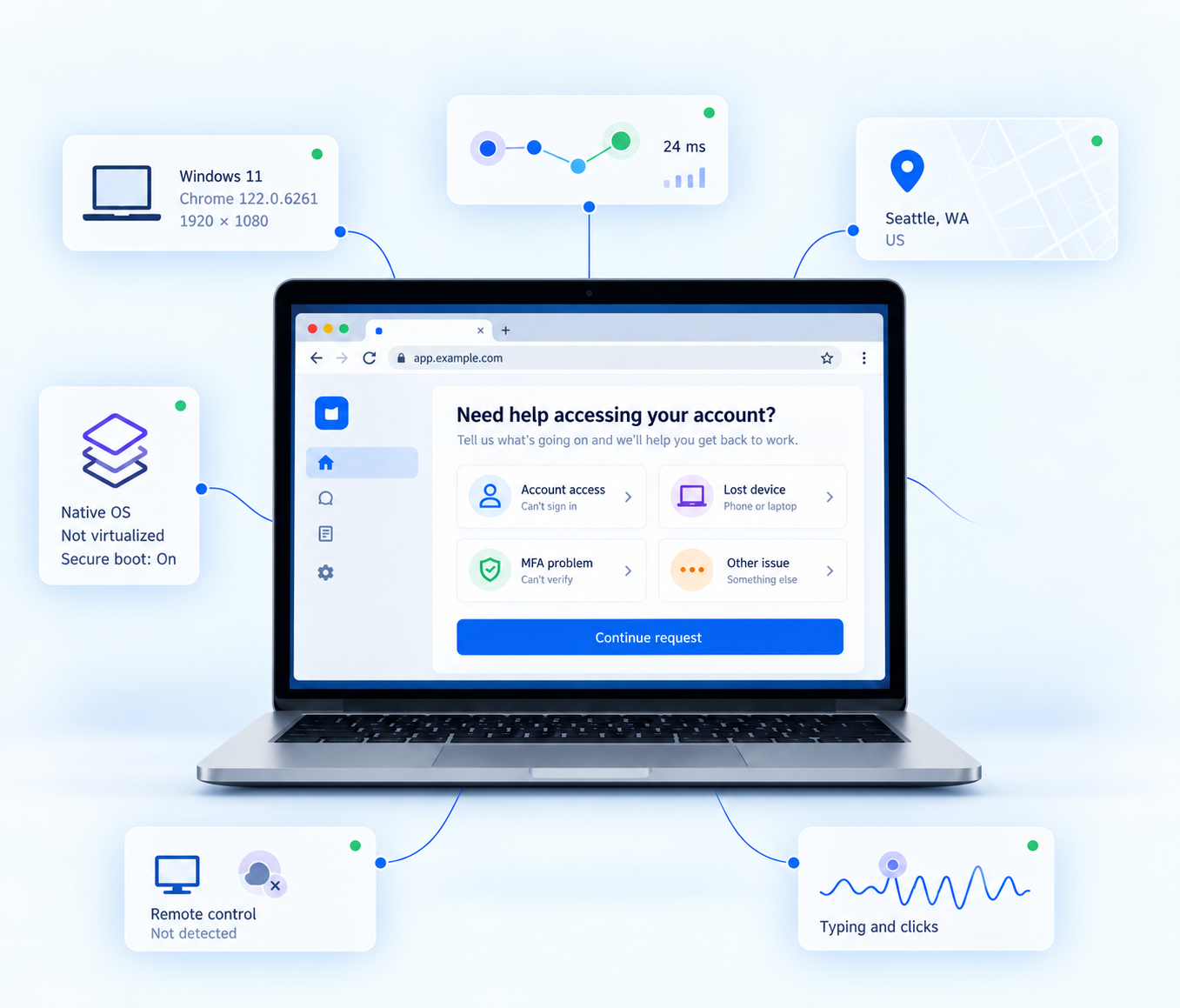
imper.ai evaluates a deep set of signals across device, network, location, environment, tooling, and behavior. Core detection is browser based and agentless, including on personal or unmanaged devices where browser telemetry is available.
Core detection does not require an identity document, selfie, or biometric enrollment, and imper.ai does not need to determine whether a voice or video is synthetic to evaluate the interaction.
Network & location
IP geolocation and location inconsistencies, VPN and proxy infrastructure, geographic latency, network-path anomalies, and network proximity analysis.
Endpoint & environment
Device fingerprint integrity and mismatch, virtual machines, virtual audio devices, remote-control tooling, and browser or hardware anomalies.
Behavior & usage
Interaction and input anomalies, behavioral drift, bot-like patterns, unusual environments, and cross-interaction consistency.
02 · Interpretation
Impersonation detections
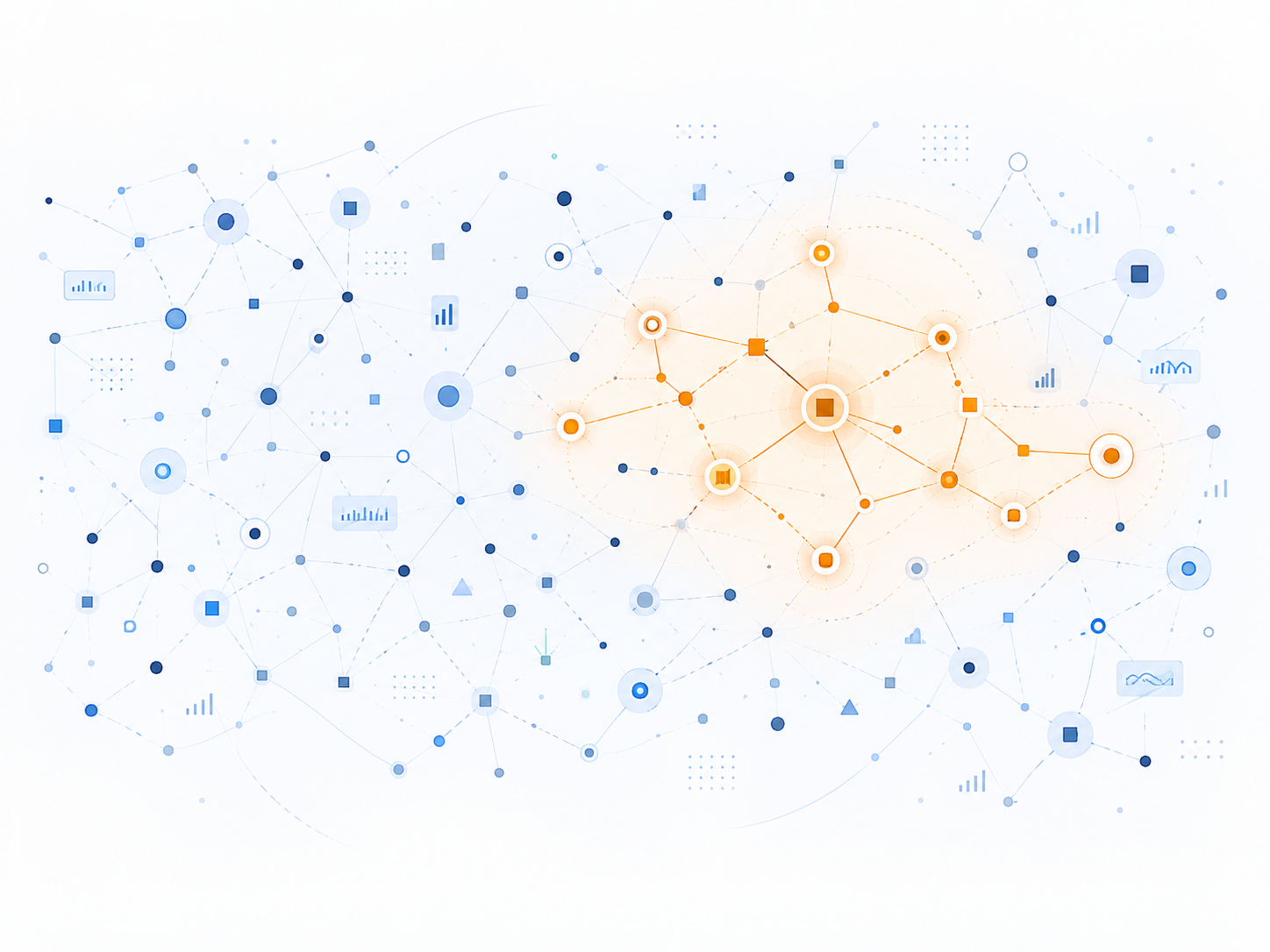
Signals are inputs, not conclusions. One unusual observation is rarely enough to establish impersonation. The Impersonation Detection Engine evaluates how observations combine and whether the resulting pattern matches how impersonation attacks actually operate.
That is what turns noisy telemetry into an impersonation-specific detection. Prior interactions can add context when available, but the detection is driven by the pattern, not by any single indicator.
Each can have a legitimate explanation. A detection comes from a meaningful combination of signals, knowledge of attacker operating patterns, and the context available from the current and prior interactions.
03 · Decision
Impersonation risk score
imper.ai combines signals, detections, and cross-interaction history into an impersonation risk score. Customer-defined policy maps the score to a workflow action: proceed, review, step up, allow an approved action, or stop the interaction.
Different workforce populations do not need the same policy. Knowledge workers, frontline employees, contractors, and sensitive functions can use different thresholds and assurance requirements based on the workflow and risk.
The console exposes the signals and detections contributing to the score.
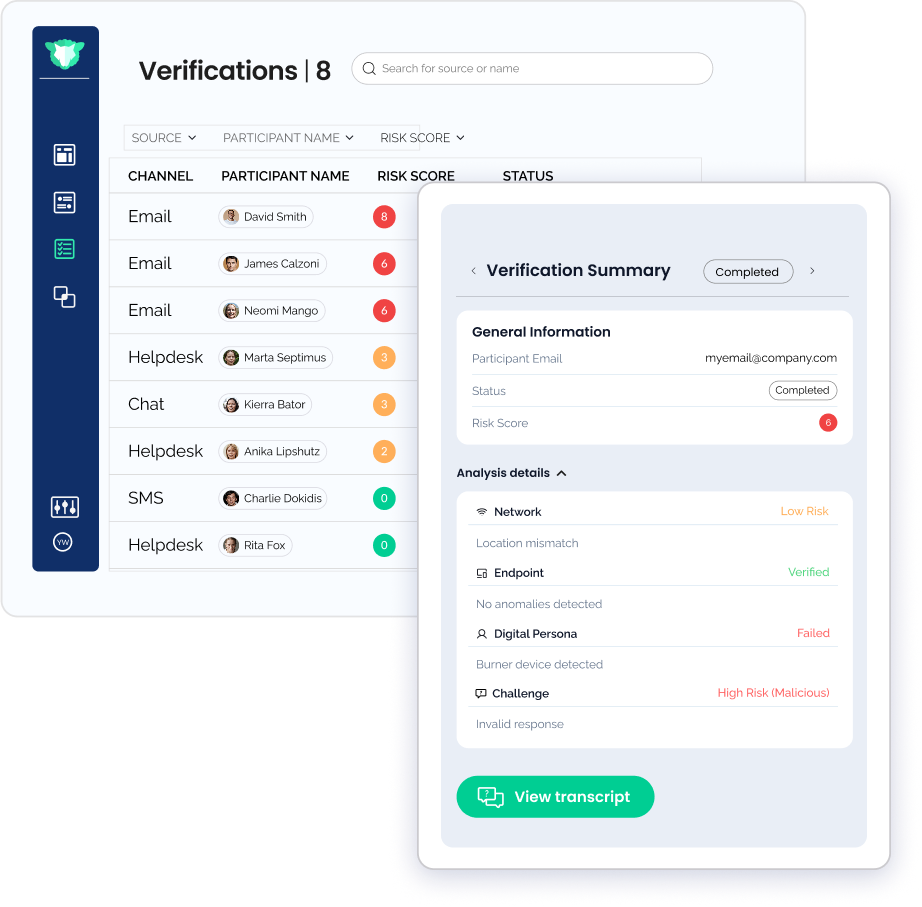
Signals and detections inform the score. Policy decides what happens next.
04 · Conditional action
Step-up and escalation
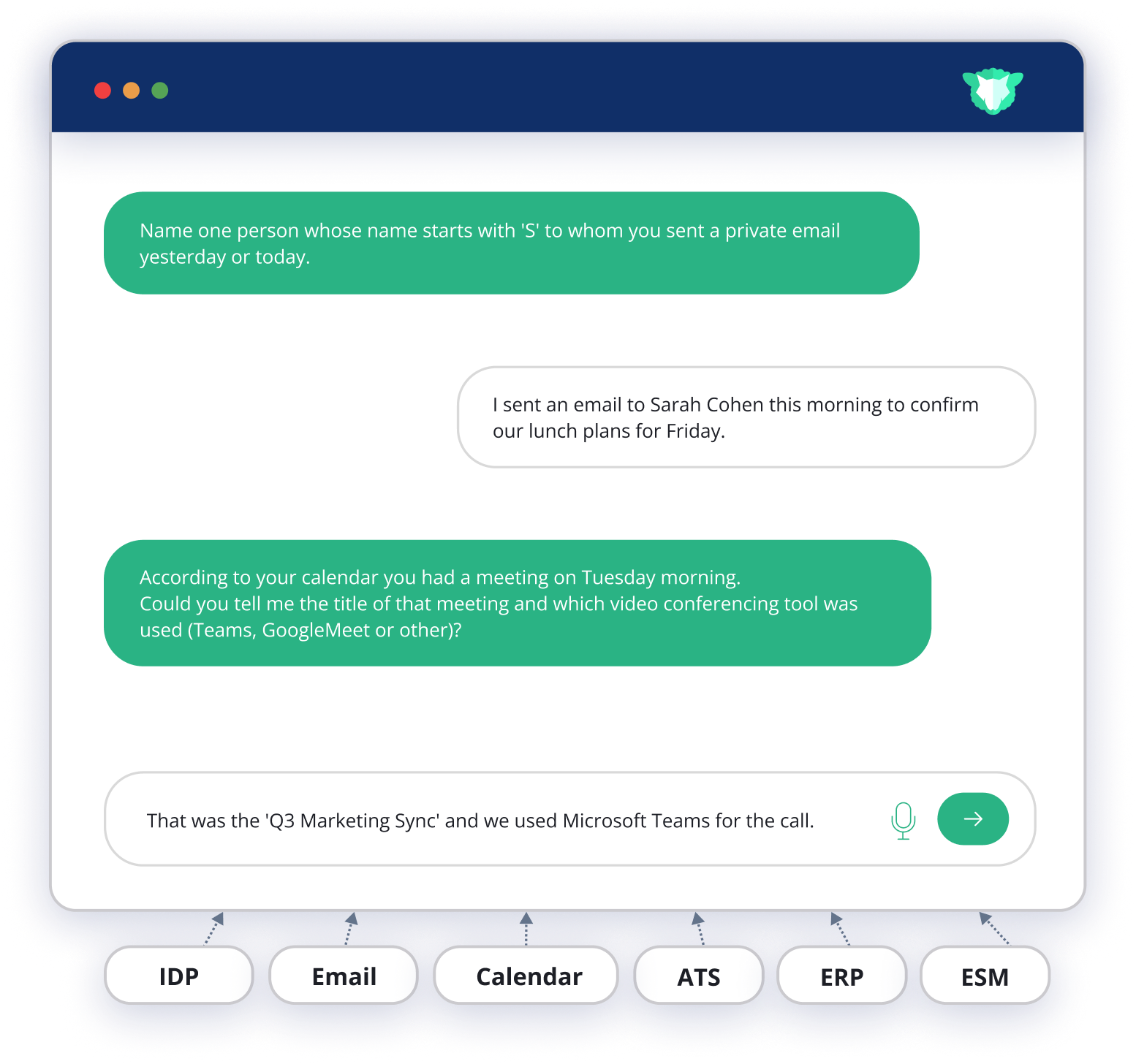
Step-up is not a universal fourth detection stage. It is an action selected by policy when the workflow needs more assurance.
For established employees, imper.ai can add AI-driven Contextual Verification using recent enterprise activity and the employee’s actual work, rather than static personal data.
Workflow integrations
imper.ai surfaces impersonation detections, risk scores, and policy outcomes inside the systems already used by recruiting, IT, identity, and security teams.
Hiring + new-hire enrollment

With Workday Recruiting, imper.ai connects candidate and interview data to scheduled interviews so impersonation checks can run inside the hiring process. A separate Workday integration can retrieve new-hire contact data to support first-time enrollment and credential issuance workflows.
Explore secure hiringHelp desk + account recovery

The imper.ai app for ServiceNow sends verification requests from the task, writes results back to the task, and can continue configured recovery actions according to policy.
Explore help desk protectionHiring & HR
Workday, Greenhouse, SmartRecruiters, UKG, and other recruiting systems.
ITSM & help desk
ServiceNow, ChangeGear, Autotask, and Jira Service Management.
Identity & access
Microsoft Entra ID, Okta, CyberArk, Active Directory, OneLogin, and related systems.
Device & enrollment
Microsoft Intune and device-management integrations connect assurance to enrollment workflows.
Security operations & alerts
Slack, Microsoft Teams, Cortex XSIAM, Sumo Logic, and other destinations.
Contact center & IVR
Amazon Connect and service-desk integrations extend impersonation controls into support channels.









Security, privacy & compliance
Core impersonation detection does not require users to submit a government ID or enroll a biometric. In workflows where formal proofing is not required, this reduces the amount of durable identity data that needs to be collected and retained.

SOC 2 Type II certified
imper.ai undergoes independent audits and testing to maintain its SOC 2 Type II program. Contact imper.ai to request the audit report.

GDPR
imper.ai supports GDPR requirements and can provide a Data Processing Agreement upon request.

CCPA
imper.ai supports CCPA requirements and can provide a Data Processing Agreement upon request.
Where policy requires formal proofing, a document check can be added as a separate step. The reported exposure of more than 153 million driver’s-license records, with final scope still unconfirmed, illustrates the security burden associated with retaining durable identity artifacts.
Workforce impersonation detection FAQ
What is Workforce Identity Impersonation Detection?
Workforce Identity Impersonation Detection determines whether the human operating behind a workforce identity is the expected person. It is designed for live and repeated workforce moments such as candidate interviews, onboarding and credential enrollment, help desk recovery, and ongoing work. See how it differs from IDV.
How does imper.ai detect impersonation?
imper.ai evaluates signals across device, network, location, environment, tooling, and behavior, turns them into impersonation-specific detections, correlates those detections across interactions, and produces an impersonation risk score that can drive workflow actions.
Does imper.ai require identity documents or biometrics?
No document or biometric step is required for core detection. Formal identity proofing can still be used where policy requires it, including as an optional escalation or high-assurance step.
Where does imper.ai integrate?
imper.ai integrates across recruiting and HR, ITSM, identity and access, device management, collaboration, contact center, and security operations. Workday is a primary hiring and enrollment integration, while ServiceNow brings impersonation detection into help desk and account-recovery workflows. Explore all integrations.
What workforce attacks can imper.ai help detect?
Primary use cases include candidate impersonation and hiring fraud, help desk vishing, suspicious onboarding or credential enrollment, and shadow workforce. The North Korean IT Worker Threat Center provides detailed guidance on one of the most visible forms of workforce impersonation.